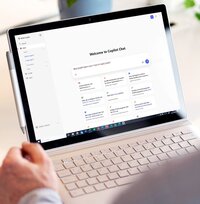
Mann sitzt am Schreibtisch und guckt auf einen Laptop

Microsoft 365 Copilot & Copilot Studio for your company

As a Microsoft Jumpstart partner in the DACH region, we identify viable use cases, secure Microsoft funding and roll out Copilot in a way that delivers measurable productivity gains.

Achieve new levels of productivity with Microsoft 365 Copilot & Copilot Studio

With Microsoft 365 Copilot, your teams can complete routine tasks in Word, Excel, Teams and Outlook more quickly, make more informed decisions and free up time for value-adding work. Copilot Studio takes this a step further: your own AI assistants automate your specific processes and measurably reduce the amount of manual work required. 

Whether you’re getting started, scaling up or optimising your existing use of Copilot, we’ll support you every step of the way – from strategy through to a measurable ROI.

novaCapta: Ihr Partner für die digitale Transformation mit Microsoft Technologien
Overview

Microsoft Copilots in detail

With Microsoft 365 Copilot, Copilot Studio, Copilot Chat and Copilot for Dynamics 365, you have access to four powerful AI components that address a range of day-to-day work requirements and can be seamlessly integrated into your existing processes. Whether in Word, Excel, Teams or Outlook, Copilot helps you complete tasks more quickly, create high-quality content and make informed decisions. With Copilot Studio, you can expand these capabilities and develop bespoke AI solutions tailored precisely to your organisation’s needs.
Microsoft 365 Copilot
Microsoft 365 Copilot is your AI assistant for day-to-day work in Word, Excel, PowerPoint, Outlook, Teams and other Microsoft apps. It helps you write, analyse, organise and collaborate.

With Copilot, you can automate routine tasks, create content more quickly, generate insights from your data and boost efficiency across the entire organisation.

We support you with implementation, governance, security, enablement and use cases.
Copilot Studio
With Copilot Studio, you can create your own AI-powered Copilots, tailored to your business processes, systems and data. Whether it’s FAQ bots, process automation, internal knowledge assistants or complex workflow solutions: Copilot Studio enables the flexible expansion of the Microsoft Copilot ecosystem.

We support you in the design, development, integration and operation of custom Copilot solutions that deliver real added value.
Copilot Chat
M365 Copilot Chat is the free, browser-based version of Copilot, without access to corporate data via Microsoft Graph. It uses GPT-4o, combined with web search, and is available in Microsoft Teams and in the browser.

Copilot Chat answers questions, summarises content, assists with research and analysis, and thus offers a powerful introduction to AI-powered productivity – regardless of your internal data sources.
Copilot for Dynamics 365
Copilot for Dynamics 365 is an AI-powered assistant within various Dynamics modules, such as Sales, Business Central, Customer Service and Customer Insights.
It helps with tasks such as generating automatic summaries, preparing for meetings, creating product descriptions, streamlining sales processes and providing context-sensitive responses in support – all directly embedded within the familiar Dynamics environment.
With novaCapta as your partner

Four steps to successfully using M365 Copilot

Using a clearly structured approach, we support you every step of the way – from preparation right through to the long-term use of Microsoft 365 Copilot. In doing so, we combine technical expertise with support for organisational transformation. To ensure security, acceptance and measurable success.

1. Get ready

Objectives, use cases and responsibilities are defined. A Vision & Value Workshop, along with security and data checks, lay the foundations for a secure start.

2. Prepare & deploy

We provide support with technical deployment and roll-out. The first Adoption Accelerator ensures a targeted roll-out within the organisation.

3. Manage & optimize

Following the go-live, we analyse usage and added value, identify opportunities for optimisation and support the second phase of the Adoption Accelerator.

4. Extend

We help you scale your Copilot applications: identifying new use cases, expanding applications and strengthening your AI ecosystem in the long term.

The right Copilot start for every organization

A structured start

Are you planning to get started with M365 Copilot or Copilot Studio? 

We’ll work with you to identify the use cases that offer the greatest benefit, set up a streamlined pilot with clear metrics, and support your teams with role-specific enablement. 

At the same time, we’ll ensure that governance and security policies are properly established right from the start. Within four to six weeks, you’ll have reliable results to inform your scaling decisions.

Zwei Mitarbeiter schauen auf Laptop
Laptop

Next step: a free Copilot Quick-Check. Clarify the current situation and prioritise the next steps.

Optimisation & Adoption

Copilot is deployed, but usage is falling short of expectations? 

This is often down to unrealistic assumptions about what Copilot can and cannot do. 

We analyse usage data and feedback, identify friction points and reprioritise. Tailored training, practically applicable prompts and adjusted permissions ensure that Copilot is actually used in day-to-day work. Monitoring makes progress measurable.

Benefit from Microsoft Fundings for M365 Copilot & Copilot Studio

As a long-standing Microsoft partner and part of the top-tier Copilot Jumpstart programme in the DACH region, we can offer you exclusive Microsoft funding for the implementation of Copilot. The funding options offered by Micrsofot are flexible and requirements-based and can be tailored to your organisation’s specific needs.

During an initial consultation, we’ll show you which funding options are available to you and support you on your Copilot journey – from planning right through to implementation.

novaCapta's Copilot expertise: awarded by Microsoft

Our Copilot expertise, awarded by Microsoft with the Copilot Specialisation in the solution area Modern Work,  demonstrates that we know how to help organisations implement Copilot securely, efficiently and in a way that delivers real added value. Whether it’s the technical foundations, governance or practical use cases from business departments, we help companies make effective use of Copilot and successfully shape the transition to a modern working environment.

Logo Microsoft Specialization Modern Work Copilot

Success through expertise: our award-winning Copilot solution

In April 2025, novaCapta was recognised by Microsoft as the winner of the CSP Copilot Success Story Challenge. The award was given for the joint project with the HÜBNER Group, which demonstrates how prioritised use cases, clear guidelines and practical enablement within the organisation lead to measurable benefits.

The business impact, level of innovation and user feedback were particularly commended. 

The award came with an invitation to Microsoft’s headquarters in Redmond – a sign of the approach’s relevance within the partner ecosystem.

FAQ

Will my data be used to train Copilots AI models?

No, with Microsoft 365 Copilot, company data is not used to train the AI models. Commercial Data Protection, no data sharing and tenant isolation apply.

What’s the best way to get started with Copilot if we’ve no experience yet?

The best way to get started is with a structured overview of the prerequisites, benefits and suitable scenarios. In our Microsoft 365 Copilot workshops, we analyse your current situation and identify specific use cases.
If you’d like to develop your own Copilots, you can do so using Copilot Studio. Our Copilot Studio workshop offers the perfect introduction to this.

Whether it’s Copilot or Copilot Studio: with novaCapta, you’ll get off to a confident, well-informed start with a clear roadmap. 

What are the best practices for successfully introducing Copilot?

A successful Copilot roll-out is based on proven best practices: executive sponsorship to ensure clear priorities, thorough data and tenant preparation, a phased roll-out with pilot groups, role-based training for different user groups, and clear governance and security policies. This combination ensures acceptance, stability and measurable added value within the organisation.

How much does Microsoft 365 Copilot cost?

Microsoft 365 Copilot costs 30 USD per user per month. 

How much does Copilot Studio cost?

Copilot Studio offers flexible licensing models that adapt to the extent of your usage. Whilst this may sound complex at first, it enables cost management that is highly tailored to your needs and based on usage.
You are billed not per user, but according to usage: either on a pay-as-you-go basis at USD 0.01 per Copilot credit, or via monthly capacity packages of 25,000 credits for USD 200 per client. For larger or predictable usage, credits can alternatively be purchased in advance (Commit Units). 

Depending on whether you are initially trying out Copilot Studio, deploying selected agents in production, or planning a company-wide roll-out, a different model may be suitable. We’d be happy to help you choose the right one.

What is the ROI of Microsoft 365 Copilot?

Forrester studies show an ROI of 116% over three years for enterprise organisations and an ROI of 132–353% for SMEs. Productivity gains of USD 18.8 million, a time saving of 9 hours per user per month and a 2.6% increase in turnover have been documented. 

We support you on your Copilot journey

My team and I look forward to hearing from you and will be happy to advise you.

Portraitbild von Carsten Schulz, novaCapta

Carsten Schulz

Head of Modern Work

Further information

More about the successful use of Copilot and our AI services